

Add your video
Paste a link — YouTube, Google Drive, iCloud — or upload video and audio files.
MP4AVIMKVWEBMMP3M4AOGGWAVFLAC

AI-powered video transcription in 90+ languages.
Upload your video or paste a YouTube, Google Drive or iCloud link.
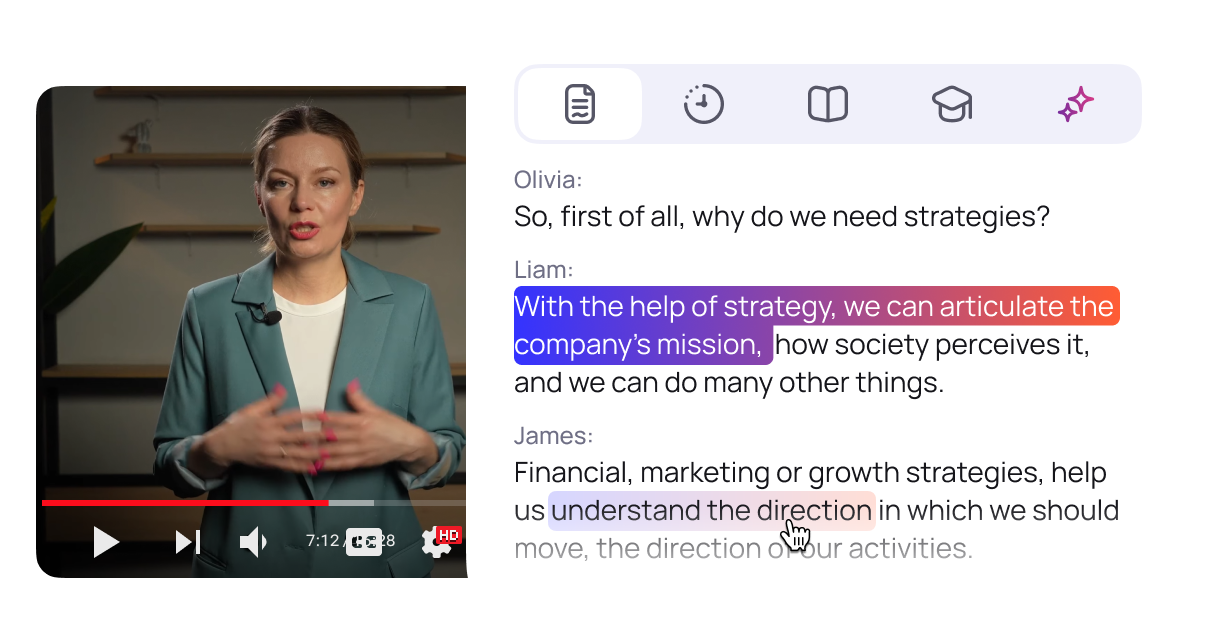
Turn any video into accurate, editable text in minutes. ViSearch's AI video transcription converts lectures, interviews, podcasts, meetings, webinars, YouTube videos and other content into a clean transcript with punctuation, timestamps and automatic speaker identification. An hour of video takes about 3 minutes to process.
Upload a video file or paste a YouTube or Google Drive link — no need to download the video first. ViSearch supports 90+ languages with automatic language detection and handles files up to 10 hours long. Get more than a basic transcript: automatically generate clickable chapters, a structured summary and a quiz from the same video.
Edit your transcript online or download it as TXT, DOCX or PDF. Need subtitles? Export SRT or VTT and use your transcript for captions, notes, articles, show notes, research, training materials and other content.
Start with 20 minutes free, with no credit card required.
Paste a link — YouTube, Google Drive, iCloud — or upload video and audio files.

Speech is transcribed with punctuation, capitalization, and speaker labels.


Edit online, search inside it, or export to documents and subtitles.
One upload. Four results.

Full text with punctuation, capitalization and speaker labels.

Auto-generated subtitles in any language.

Clickable timestamps that jump straight to the moment you need.

A structured recap with the key points and takeaways.

Auto-generated questions to check what actually stuck.
Olivia:
So, first of all, why do we need strategies?
Liam:
A strategy lets us articulate the company's mission, how society perceives it, and a lot of other things we can do.
James:
Financial, marketing, or growth strategies, they help us understand the direction we should move in, the direction of our work.
The author shares first impressions from running a Dungeons & Dragons session, explaining how he realized that a basic set of dice and a laptop weren't enough to build…
Covers which cards, miniatures, and notes he needed to run sessions more smoothly and keep the story straight in his head.
The Pirate Funnel (AARRR Framework)
Question 1 of 7
What does "strategy" mean in business?
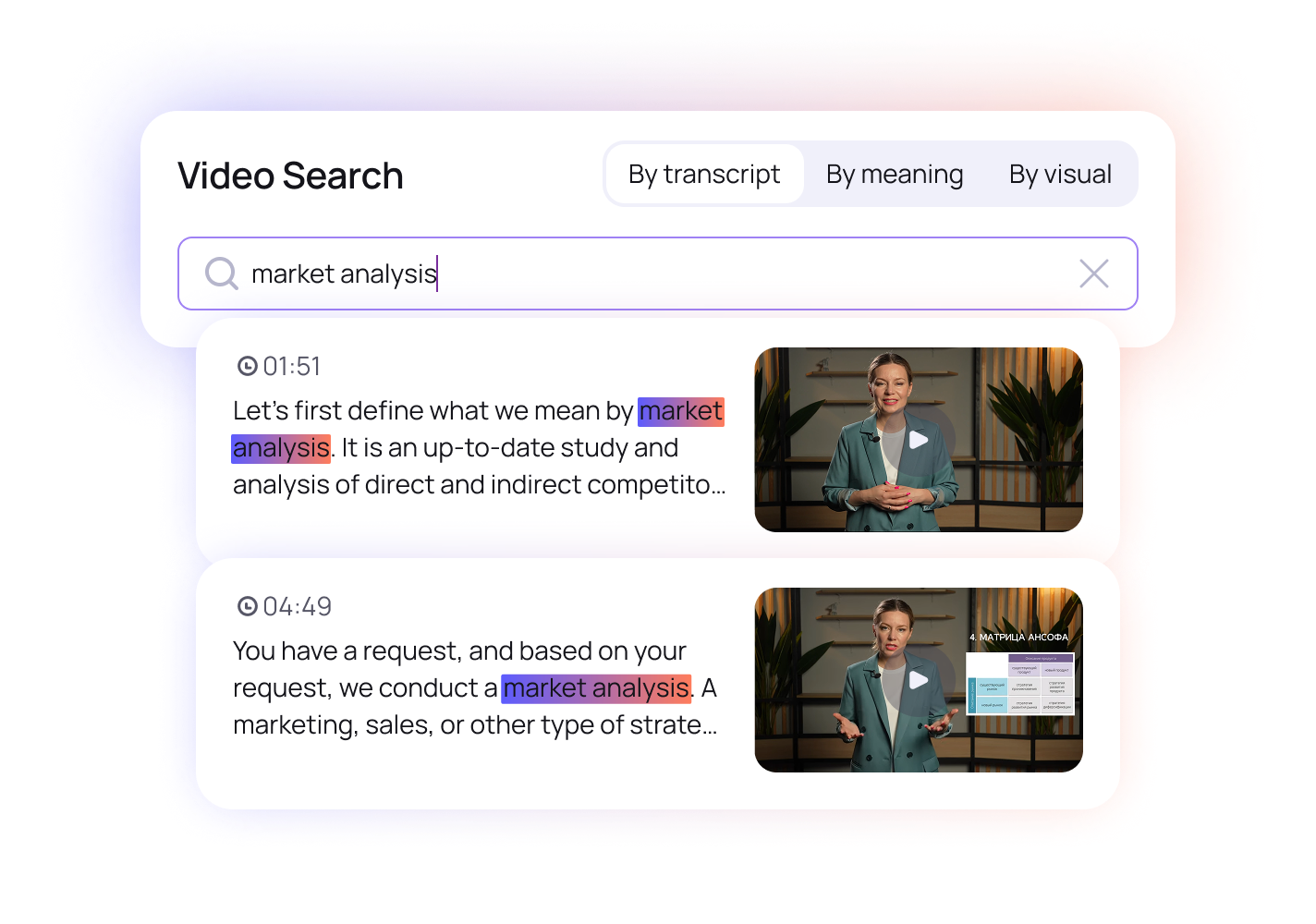
Every transcribed video joins your searchable library. Ask for any moment in plain language — “market analysis” — and jump straight to it, across everything you have ever uploaded.
Turn lectures into searchable notes and study materials.
Get a complete transcript with speakers and timestamps.

Keep a written record of important conversations.
Create captions and text content from your videos.
Up to 20 minutes of video processed free — no credit card required.

 Full-text search inside video
Accurate AI transcript with speaker labels
Auto-subtitle generation (SRT, VTT)
Full-text search inside video
Accurate AI transcript with speaker labels
Auto-subtitle generation (SRT, VTT)
Interactive timestamped chapters
Smart summary generation
Auto-generated video quizzes
Full-text search inside video
Accurate AI transcript with speaker labels
Auto-subtitle generation (SRT, VTT)
Full-text search inside video
Accurate AI transcript with speaker labels
Auto-subtitle generation (SRT, VTT)
Interactive timestamped chapters
Smart summary generation
Auto-generated video quizzes
 Visual search — find objects, scenes, and on-screen text
Search by uploaded image
Face and speaker search across your entire library
Visual search — find objects, scenes, and on-screen text
Search by uploaded image
Face and speaker search across your entire library
Upload a video file or paste a YouTube or Google Drive link. ViSearch transcribes the speech automatically and returns an editable transcript in minutes. You can export it as TXT, DOCX, PDF, or as SRT and VTT subtitles.
ViSearch runs on state-of-the-art speech recognition and delivers clean, publish-ready transcripts on clear audio - most users make no or only light edits before publishing. Challenging recordings (heavy accents, crosstalk, noisy rooms) may need a closer review. And you never have to take our word for it: your first 20 minutes are free, so test it on your own footage.
Yes. Paste the YouTube link and ViSearch handles the rest - no downloads, no browser extensions.
Yes. The transcript is split by speaker with automatic labels, which you can rename in the editor.
More than 90 languages, with automatic language detection.
Up to 10 hours per file. One hour of video is processed in 3 minutes.
Yes. Your uploads are visible only to you, stored securely, and never shared unless you would like to share it with someone. You can delete any video and its transcript from your library at any time.
Pay as you go, from $0.09 per minute of source video. No subscription. Your first 20 minutes are free, no credit card required.
Yes. You can convert an MP4 video to text with ViSearch in just a few clicks. Upload your MP4 file and our AI video transcript generator will automatically extract the spoken content and create a readable transcript with timestamps and speaker identification. You can also generate chapters, a summary, and a quiz from your video, then download the transcript as TXT, DOCX, or PDF.
Yes. ViSearch automatically adds timestamps to your video transcript, making it easy to find and jump to the exact moment when something was said. Timestamps can be combined with speaker identification and automatically generated chapters, which is especially useful for interviews, lectures, podcasts, meetings, webinars, and other long videos.
ViSearch supports all popular video formats including MP4, AVI, MKV, and WEBM. Upload your video directly to ViSearch and our AI will automatically transcribe the spoken content into text. You can also paste a YouTube or Google Drive link instead of uploading the video file. After transcription, you can export the text as TXT, DOCX, or PDF, or generate subtitles in SRT and VTT formats.